An antidetect browser is a browser that allows you to create multiple profiles, each with its own digital fingerprint. Every profile stores its own settings, cookies, login data and other parameters that websites use to identify users.
The main purpose of antidetect browsers is multiaccounting which means managing multiple accounts on the same platform. For example, affiliate marketers may use multiple accounts to run ad campaigns across different geos, SMM specialists may use separate accounts for different clients, while marketers can use them to test different approaches.
When multiple accounts are managed through a regular browser, they share the same digital fingerprint, which is much more complex than just a login and password. Modern platforms analyze user and device data to identify links between accounts. This can be a problem for multiaccounting, as platforms generally expect accounts to represent unique, genuine users.
In this review we take a look at Dolphin Anty, one of the most popular antidetect browsers. It allows you to create separate profiles, configure their digital fingerprints, connect proxies, add the extensions and bookmarks you need and automate some routine tasks.
How Fingerprint Spoofing Works in Dolphin Anty
Working with Dolphin Anty starts with creating a browser profile and configuring its digital fingerprint, which includes various browser and device characteristics. These parameters can be generated automatically or configured manually.
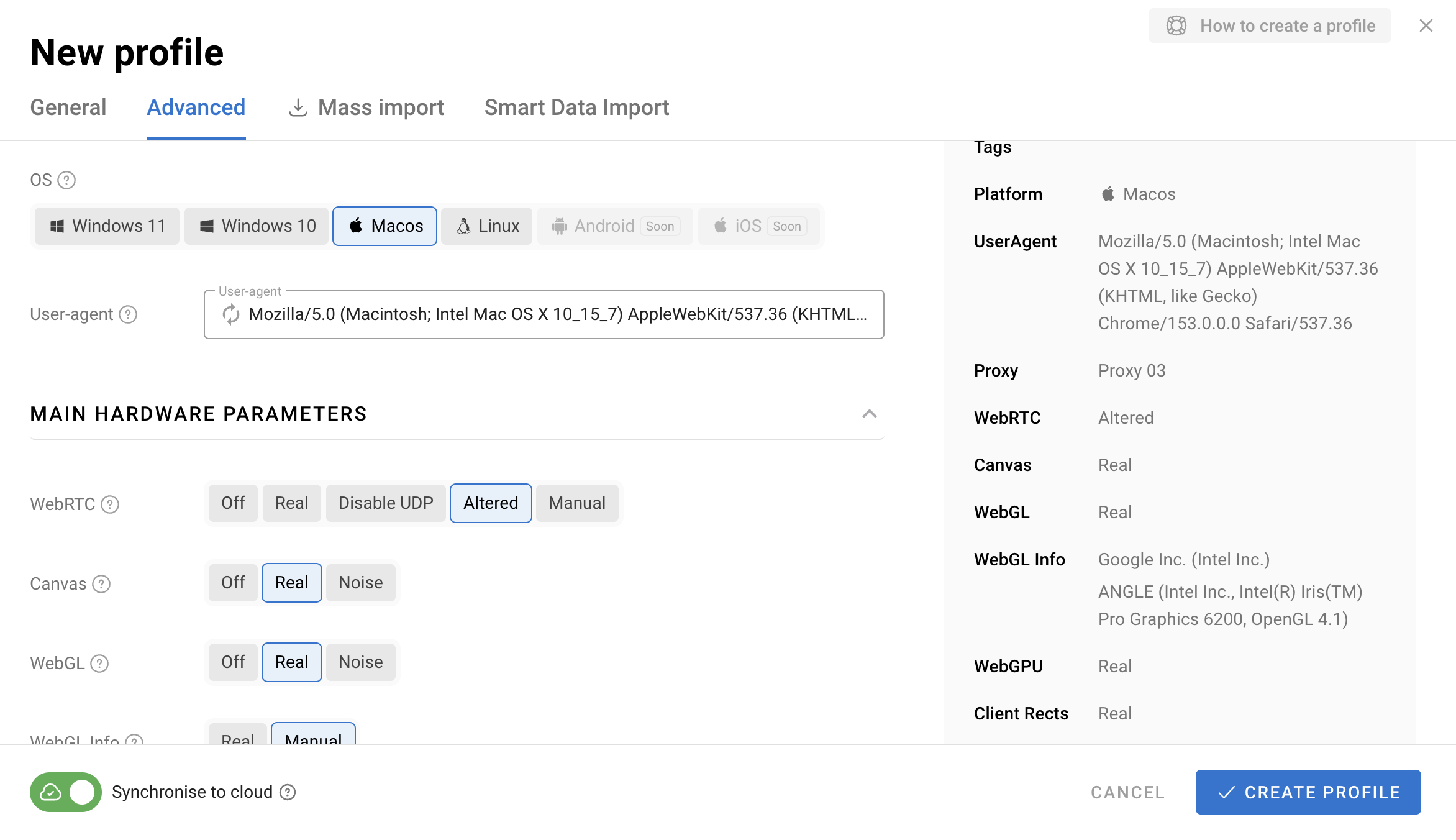
The browser lets you manage:
- Operating system;
- User-Agent;
- Canvas;
- WebGL;
- Client Hints;
- Fonts;
- WebRTC;
- Screen and device parameters.
Dolphin Anty even lets you set a device name, which can be useful when working with platforms that have more advanced antifraud systems. Another feature worth mentioning is X-Browser-Validation, an HTTP header used by Google for additional browser identification.
The key principle behind fingerprint generation is consistency. Dolphin Anty automatically adjusts related parameters so they remain compatible with each other. At the same time, each profile keeps its own settings independently. This makes it possible to manage multiple accounts on the same platform from a single interface.
Useful Profile Management Features
Once you start working with a large number of profiles, profile management becomes just as important as creating them. Dolphin Anty includes several tools that make this process easier.
Profile Setup
When creating a profile in Dolphin Anty, you can configure more than just its digital fingerprint. You can also prepare the profile for a specific use case. There are profile types for platforms such as Facebook, Google and TikTok as well as Crypto.
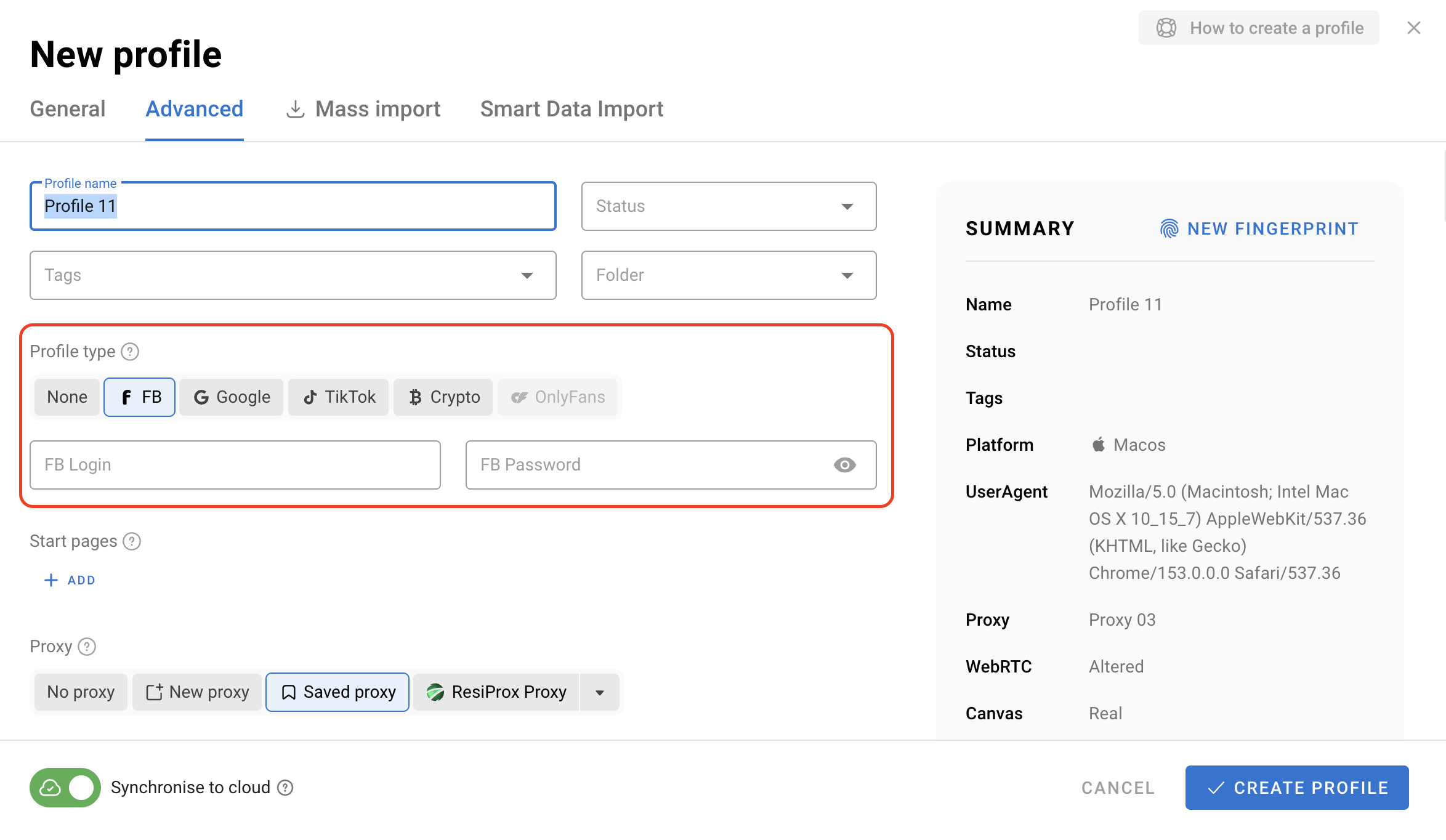
Depending on the selected profile type, Dolphin Anty automatically adds useful bookmarks that are commonly used on the chosen platform.
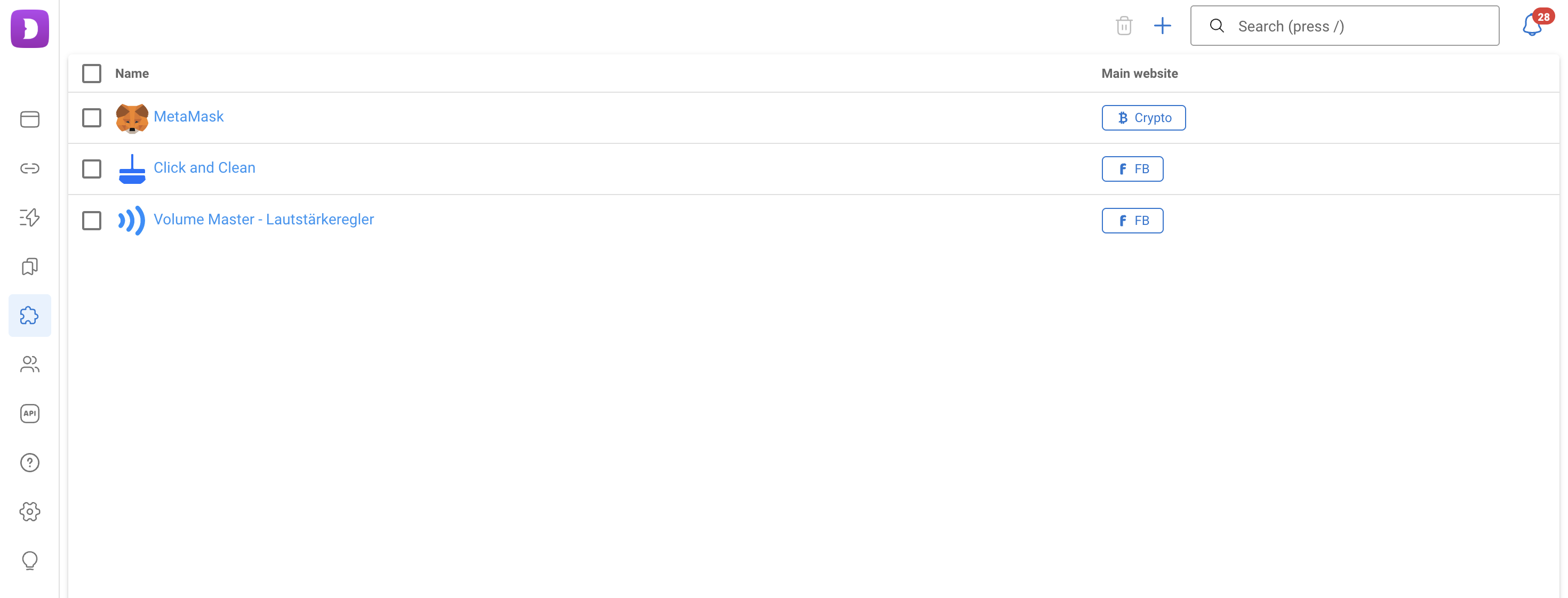
You can also edit these bookmarks and add your own as well as install extensions. Both can be managed through dedicated sections: simply add what you need and select the appropriate profile type.
Another useful feature is startup page configuration. This allows you to automatically open the services you need when launching a profile, such as a social network, ad account, tracker or analytics platform.
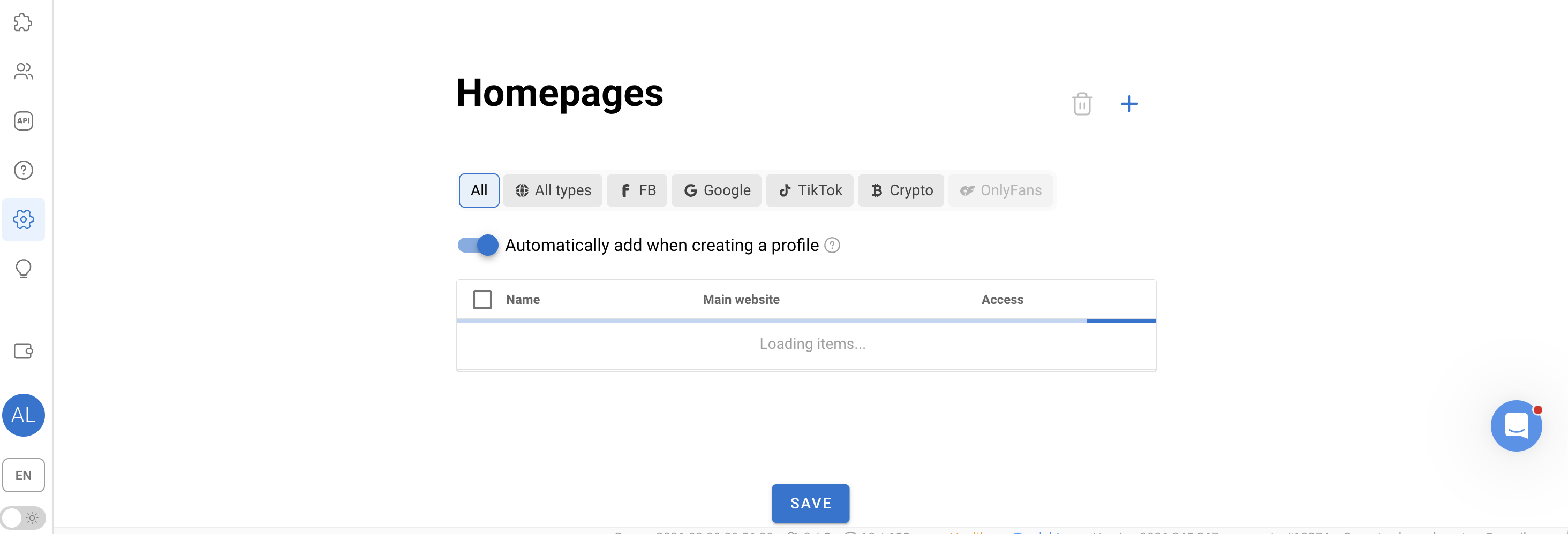
As a result, profiles can be prepared in advance, so you don't have to configure each one manually every time you launch it.
Profile Navigation
When you have a large number of profiles, you need to be able to quickly find the one you need and understand what it is used for.
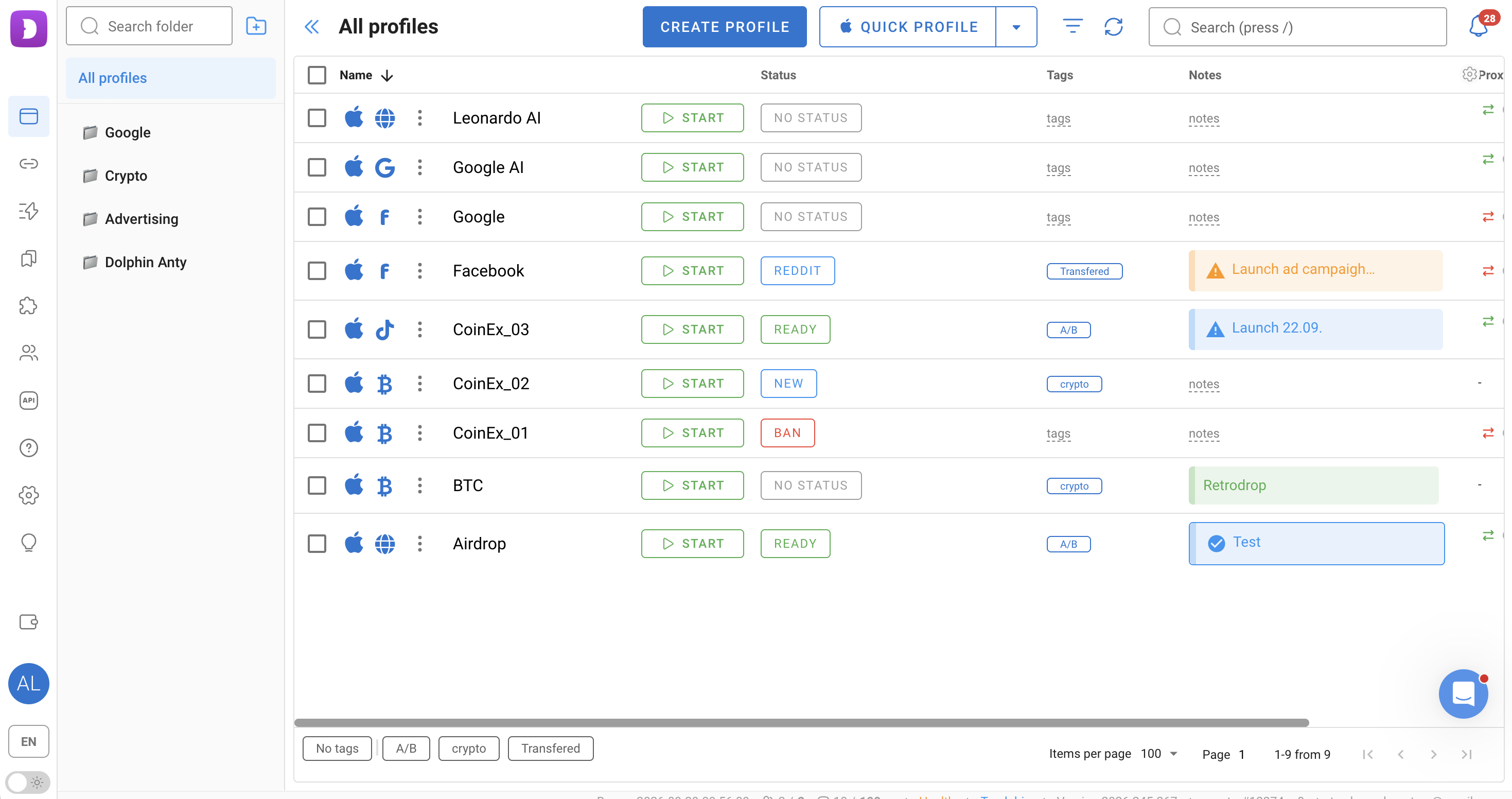
Dolphin Anty provides several tools for this:
- Folders for grouping profiles;
- Tags;
- Statuses;
- Notes;
- Search filters;
- Pinning important profiles;
- Customizable columns.
For example, you can use tags to organize profiles by geo, project or platform, while statuses can indicate the current state of an account. Folders help keep profiles organized, while notes let you store additional information directly in Dolphin Anty.
Automation
Dolphin Anty also includes tools for automating repetitive actions.
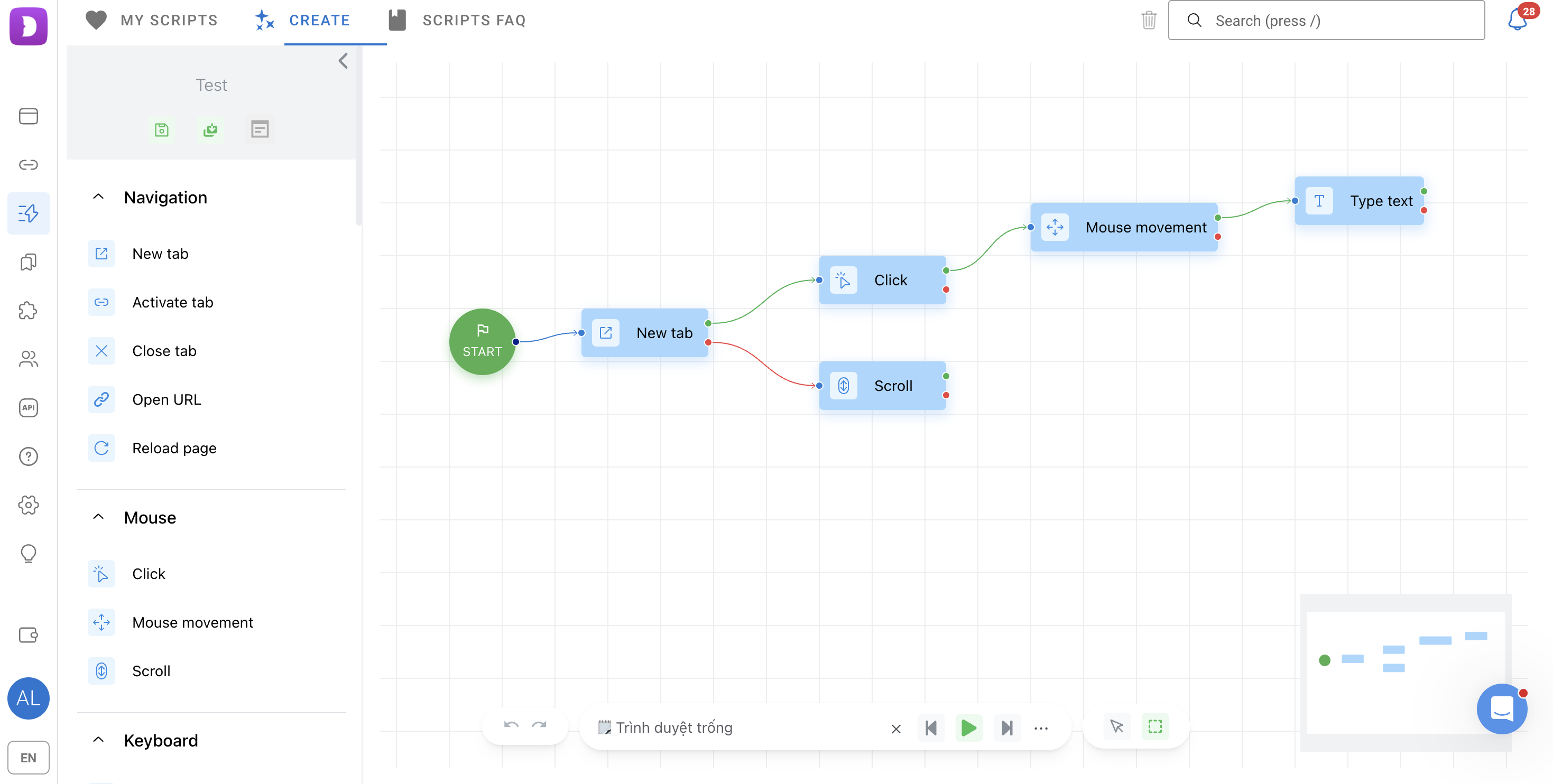
Scenarios are created on an interactive map as a sequence of actions. For example, you can open a specific page, click a particular area, move the mouse, close a pop-up and enter the required data. The same scenario can be launched in one or multiple profiles.
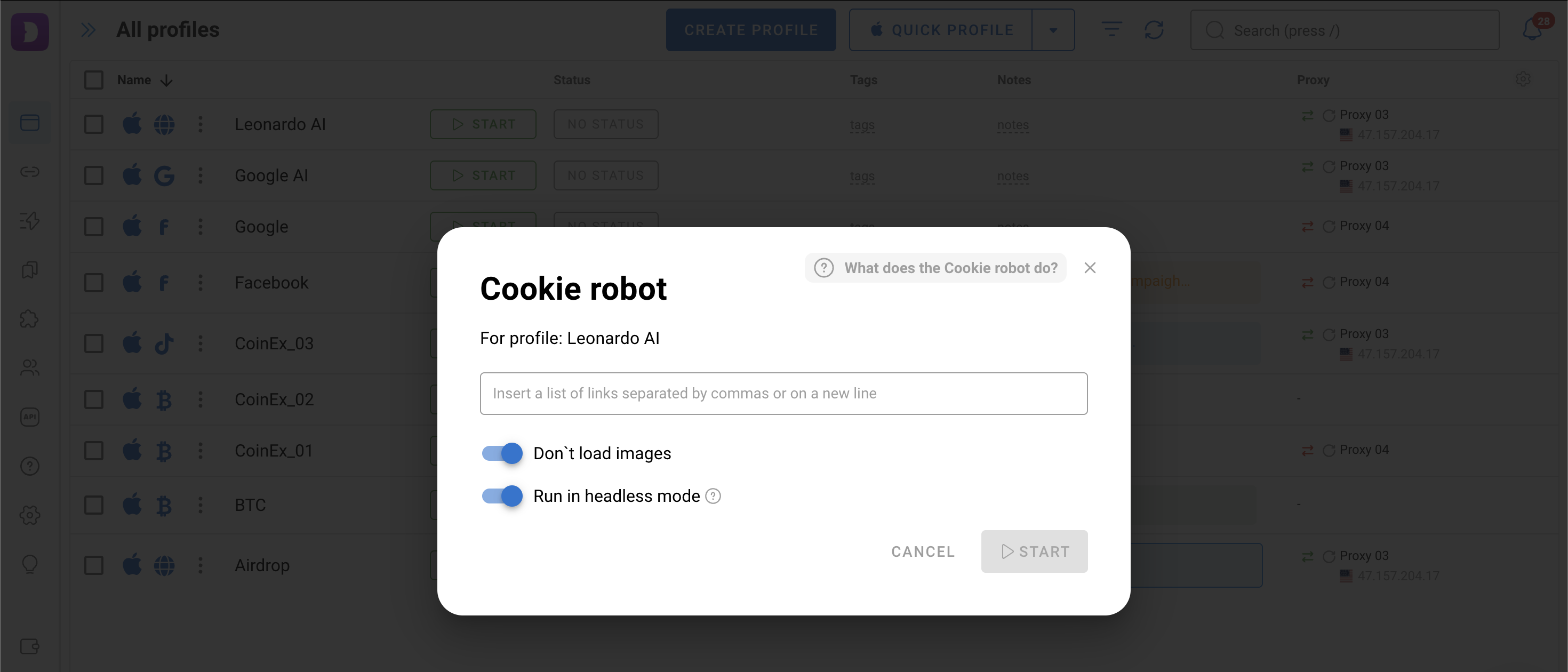
Cookie Robot is designed to collect cookies. It can run in the background without loading images, which can speed up certain profile preparation tasks.
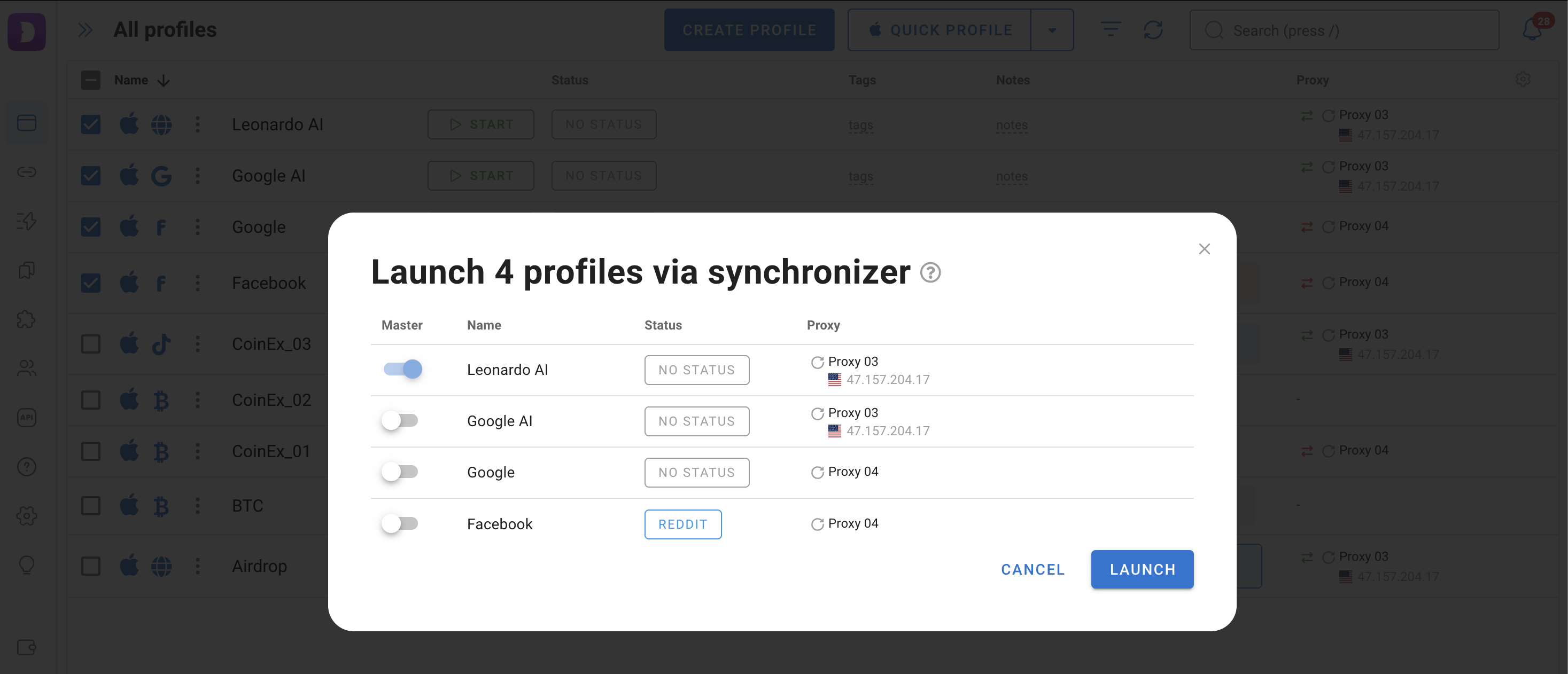
Another tool is the Synchronizer. It allows you to perform the same actions across multiple open profiles at once. Simply select the main profile and start the synchronization.
These tools do not eliminate manual work entirely, but they can significantly reduce the number of repetitive actions.
Proxy Setup
If multiple profiles use the same IP address, configuring separate digital fingerprints alone is not enough to properly separate the accounts. You will also need a reliable proxy.
Dolphin Anty offers several ways to connect proxies.
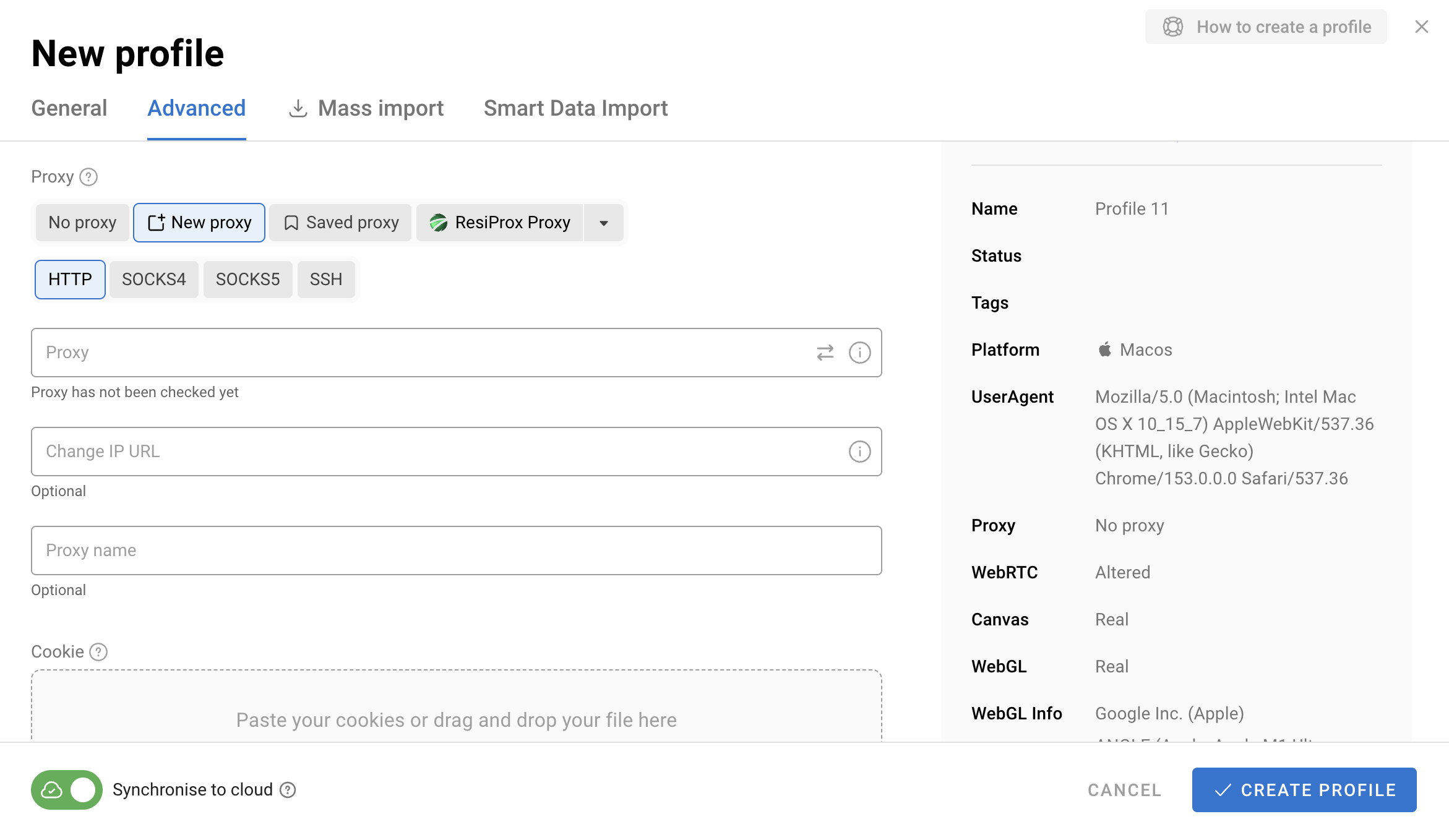
1. When creating a profile. You can enter the proxy details directly in the connection settings. The proxy will then be assigned to that profile.
2. Through the dedicated Proxy section. If you already have a list of proxies, you can add them individually or in bulk and then assign them to the profiles you need.
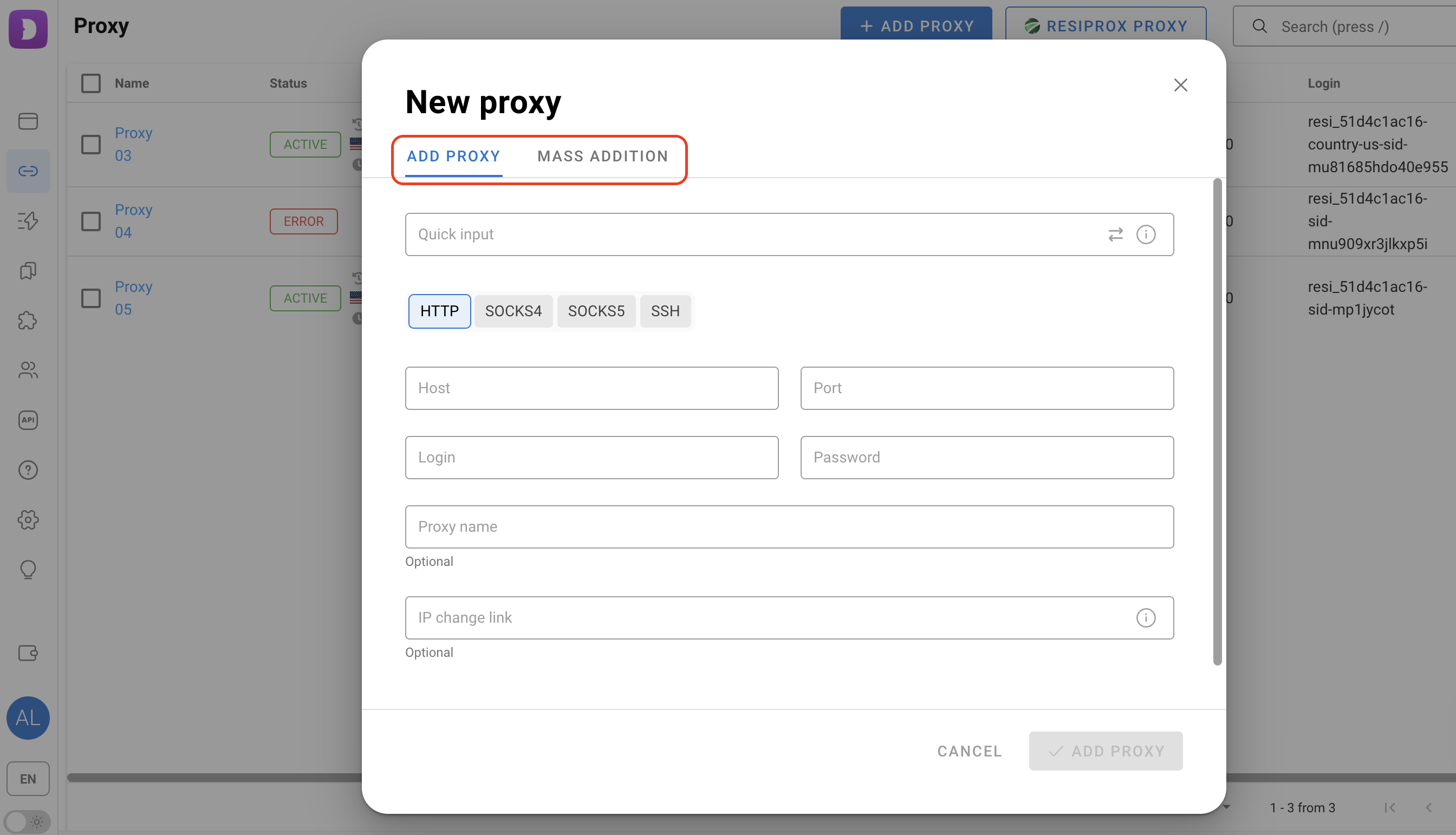
You can also use quick input when adding proxies. Instead of filling in each field manually, paste the connection details in the format provided by your proxy provider and Dolphin Anty will distribute the data across the required fields.
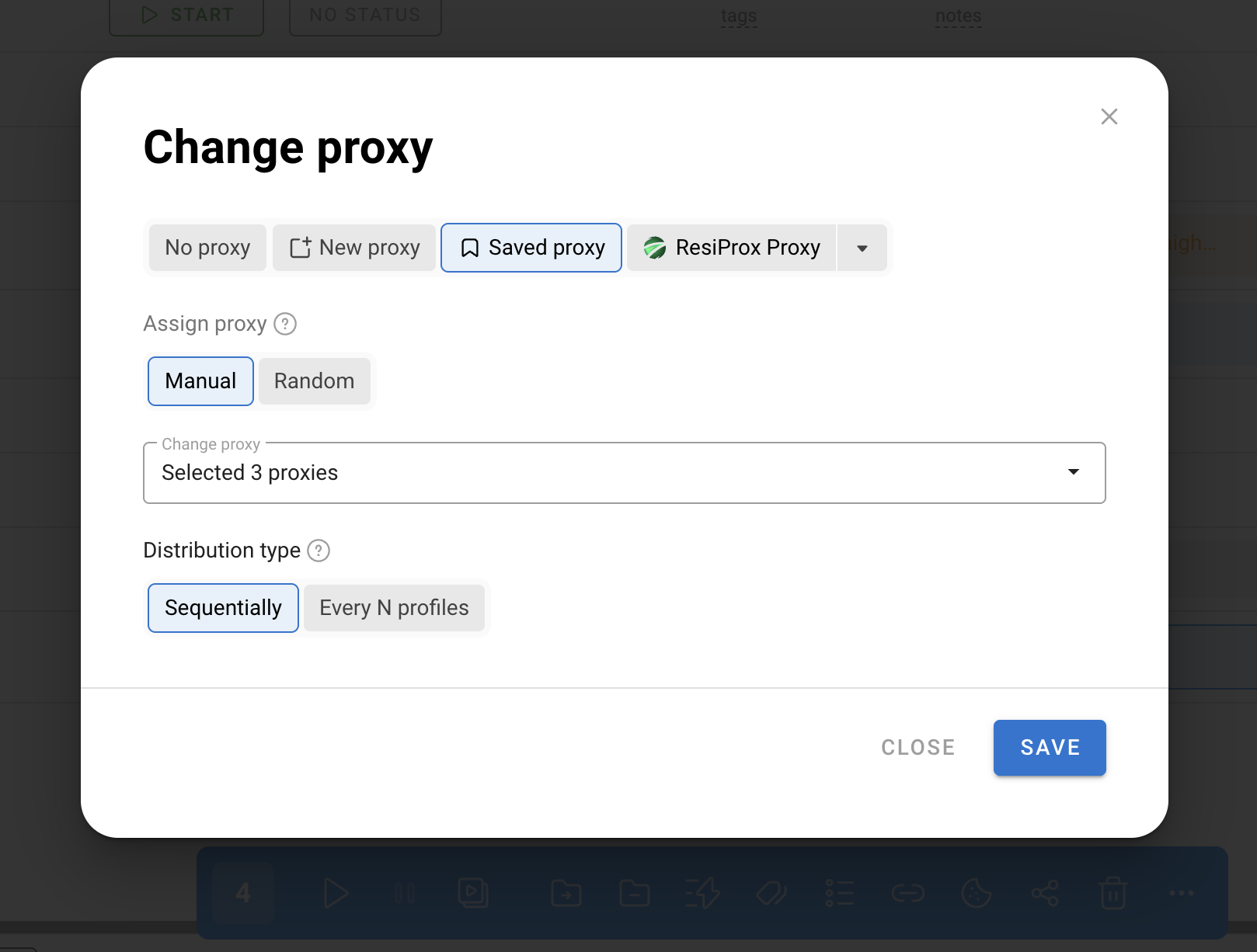
Proxies can also be assigned through the bulk actions panel. Select the profiles you need, click “Change Proxy” and choose how the proxies should be distributed: manually or randomly, sequentially or to every Nth profile.
It is better to check the connection before using a proxy. Dolphin Anty lets you do this with one click by selecting the corresponding icon with two arrows when connecting a proxy.
You can also automatically synchronize the profile's time zone, language and geolocation with the selected proxy. This helps keep the connection consistent with the other browser parameters.
Pricing
Dolphin Anty uses a flexible pricing structure designed for different workloads from a few profiles to hundreds or thousands.
- Free – $0/month: up to 5 profiles.
- Starter – from $10/month: 20 profiles with the option to purchase additional capacity.
- Base – $89/month: up to 100 profiles.
- Team – $159/month: up to 300 profiles.
- Enterprise – $299/month: up to 1,000 profiles.
Starter is suitable for smaller individual workloads while the higher-tier plans are designed for users and teams managing larger numbers of profiles. There is also a free plan, so you can test the browser without committing to a paid subscription and no card is required.
Prices checked on September 23, 2026. The listed Enterprise price is for the 1,000-profile configuration; larger configurations and additional team seats cost extra. Feature availability depends on your plan. Check current plans before purchasing.
Conclusion
Dolphin Anty brings the core tools for multiaccounting into one browser: profile creation, digital fingerprint management, proxy integration and automation of repetitive tasks.
Get Started with Dolphin Anty and ProxyUDP
Create your browser profiles with Dolphin Anty, then add your ProxyUDP connection details and test the proxy before launching your workflow.